What's new in Achi

Changes to Achi, newest first. Everything here is live for customers.

Last updated 11 November 2026

Fixed

You're only charged once, even if you check out twice

If two checkouts for the same organisation are paid at the same time, only one charge is kept. The extra payment is refunded and cancelled automatically, so you don't end up paying twice. Billing then updates from the checkout that went through, rather than getting stuck.
Fixed

Email notifications go out as you set them up

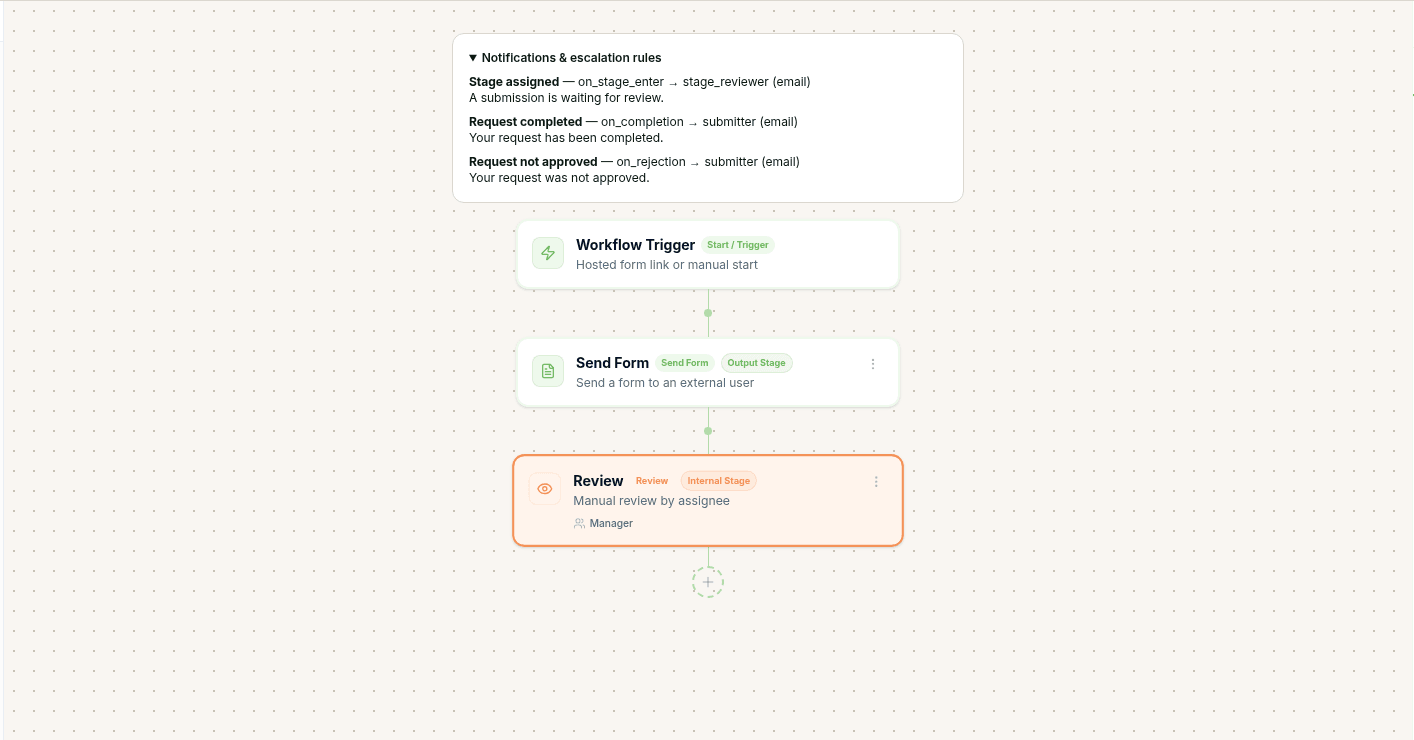
When you publish a process from the canvas, its default email rules are now saved with it. Reviewers are emailed when work reaches their stage, and the person who submitted is emailed when a request is completed or not approved, without you having to add those rules by hand.

After you publish, the process shows the three default email rules for stage assigned, completed and not approved.
The three default email rules, saved on the process after you publish.
Fixed

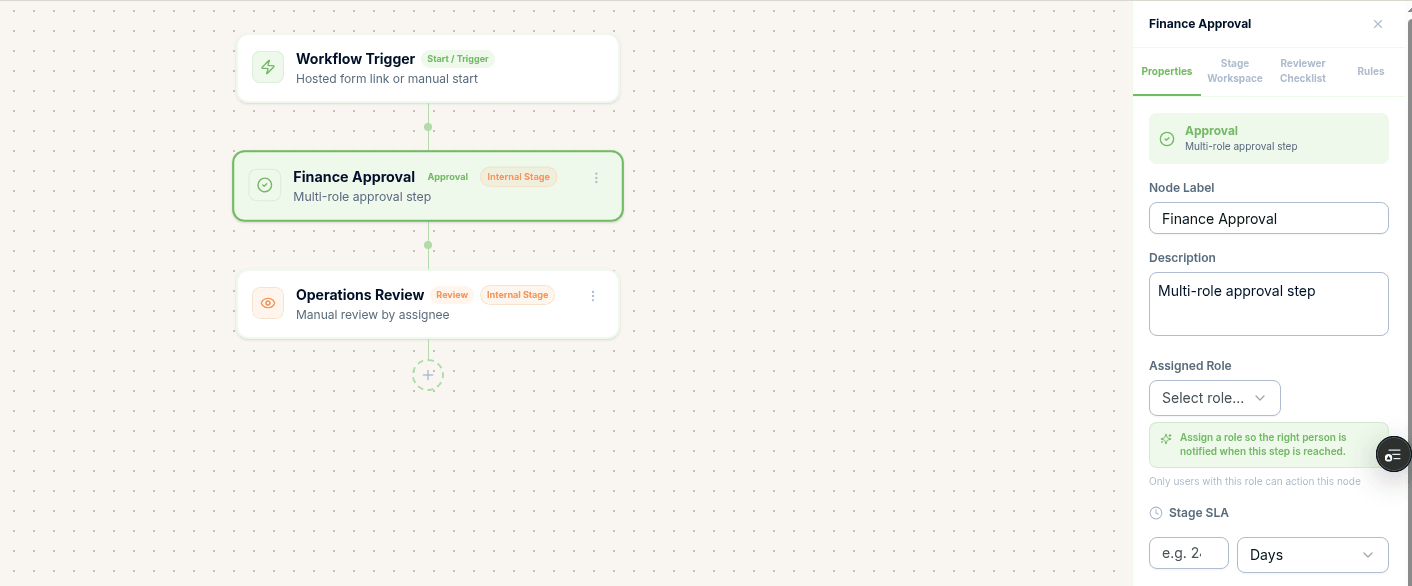
Choose hours, days or weeks for a stage deadline before you type the number

You can now pick the unit for a stage's deadline first, then enter the number. The unit you choose stays selected, so a two-day or two-week target no longer jumps back to hours when the number is still empty.

The Finance Approval stage with the deadline unit set to Days and the number field still empty.
You can choose Days, or hours or weeks, before typing the deadline.
Fixed

Reviewers get one alert when work comes back

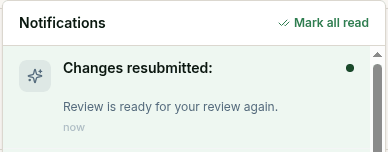
When someone resubmits after a change request, the reviewer now gets one in-app notification and one email for that return. The same resubmission is not signalled twice.

The notifications list showing one Changes resubmitted alert, with the review ready again.
One in-app notification when a request is resubmitted after a change request.
Fixed

Ask Achi can add a Payments stage that is ready to use

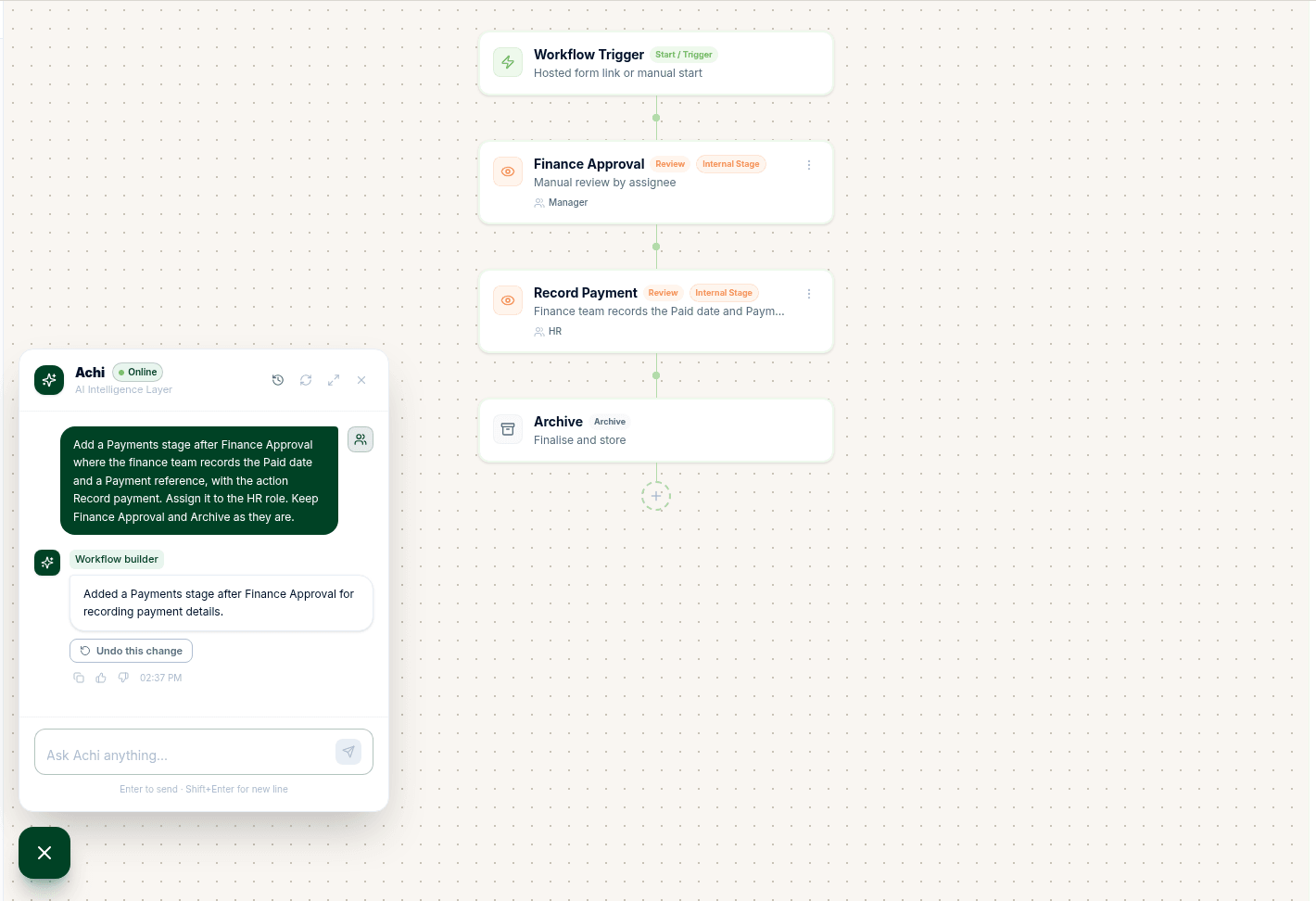
If you ask Achi to add a Payments step, empty stages are now repaired before the draft is applied, so the change does not fail. The new stage includes the fields and action needed to record a payment, such as the paid date and payment reference. If the repair cannot be completed, your draft is left unchanged and you are not charged.

Ask Achi confirming a Record Payment stage has been added after Finance Approval, with the new stage on the canvas.
Ask Achi adding a Record Payment stage that is ready to use.
Fixed

Claim screens show the submitter's current name

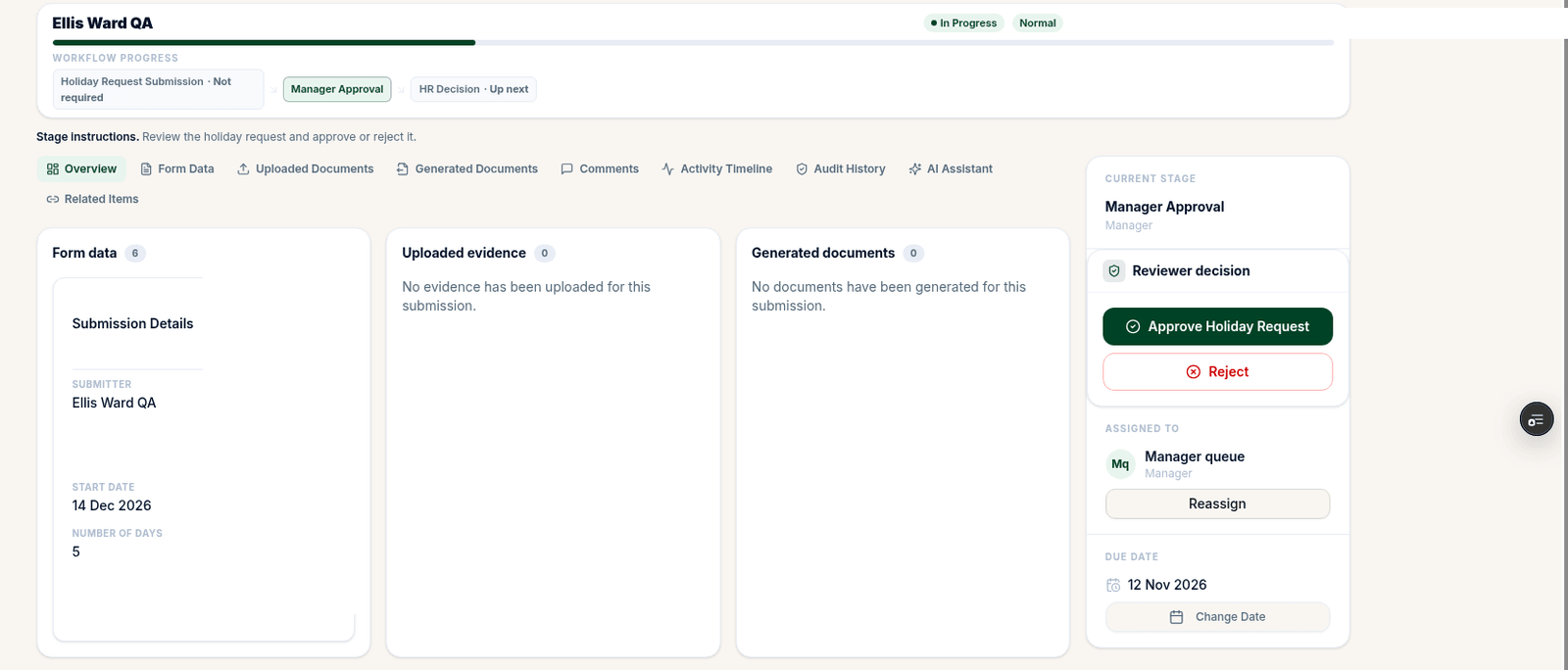
If a team member changes their name after submitting a claim, the claim header and the Submitter field now show their current name. The name recorded at the time of submission is left as it was. If they have left the organisation, or the claim was submitted without a signed-in account, the recorded name is kept.

A claim headed Ellis Ward QA, with the same current name in the Submitter field.
The claim header and Submitter field showing the submitter's current name.
Improved

Ask Achi drafts stay within your organisation

A request that tries to use another organisation's Ask Achi draft now receives a plain "not found" response, so nothing about that draft is revealed.

Improved

Pay only for changes that actually happen

If a change you ask Achi to make fails or changes nothing, you're not charged credits for it. And if you retry a build, you're charged once, not twice.

New

Keep your forms list tidy

Forms that have never received a submission can now be deleted, so old drafts and test forms no longer clutter your workspace.

Improved

No stray requests from retired processes

When you archive a process, its forms stop accepting submissions. Nobody can start work on a process you've retired.

New

Public forms that look like yours

Public forms now show your organisation's own logo and name, so the people filling them in know exactly who they're dealing with.

Improved

Clearer sign-up for people already signed in

If you're already signed in, you'll see which account you're using before you choose "Start free trial", so you don't set up a trial on the wrong account.

Improved

Keep confidential answers out of shared documents

Answers in fields marked as hidden are now blanked out in documents Achi generates, so you can share them without exposing those details. Owners and admins can still see the answers inside Achi.

Fixed

Other fixes

Invite links now work reliably, so new team members can join without a hitch. You can edit your own name in your profile again. The record-payment label and the payment reference placeholder now read correctly. Items with duplicate names get a clearer suffix, making them easier to tell apart.

New

Send bigger requests to an extra approver

A Process App can now have an amount rule. Requests over the amount you set go to an extra stage, such as a CFO sign-off, and smaller requests finish without it. You choose the amount and who signs off.

See how it worksHow to set up a purchase approval process

New

See where every request has got to

Process Monitor shows each live request, the stage it's at, who has it now and its status. You can search by name or reference.

See how it works

New

Ask Achi can add a finished document to the draft

When a process ends with a document, such as a confirmation letter for a new supplier, Ask Achi can add it to the draft for you.

See how it works

Improved

The Process Apps page shows your real apps

The Process Apps page lists your own apps, with real step counts and how many requests are open at each stage. You can search, filter, archive and restore them. Workflows are now called Process Apps in the app's menus and page titles.

Improved

Approvers go straight to My Tasks

Team members who approve requests but don't build processes now land on My Tasks when they sign in, so their next decision is the first thing they see.

Fixed

Profile changes now save

Changing your name or phone number in Settings, under Profile, now saves properly.

See it for yourself

14-day free trial, no card needed.